




Most phishing attempts aren't caught because someone spotted a clever technical tell. They're caught because something felt slightly off, and the reader slowed down long enough to notice.
At Everwise, we call this process Pause, Reflect, and Protect.
You can turn that instinct into a habit. Suspicious emails often leave clues hiding in plain sight. Review these seven common warning signs before you click, reply, or download anything.
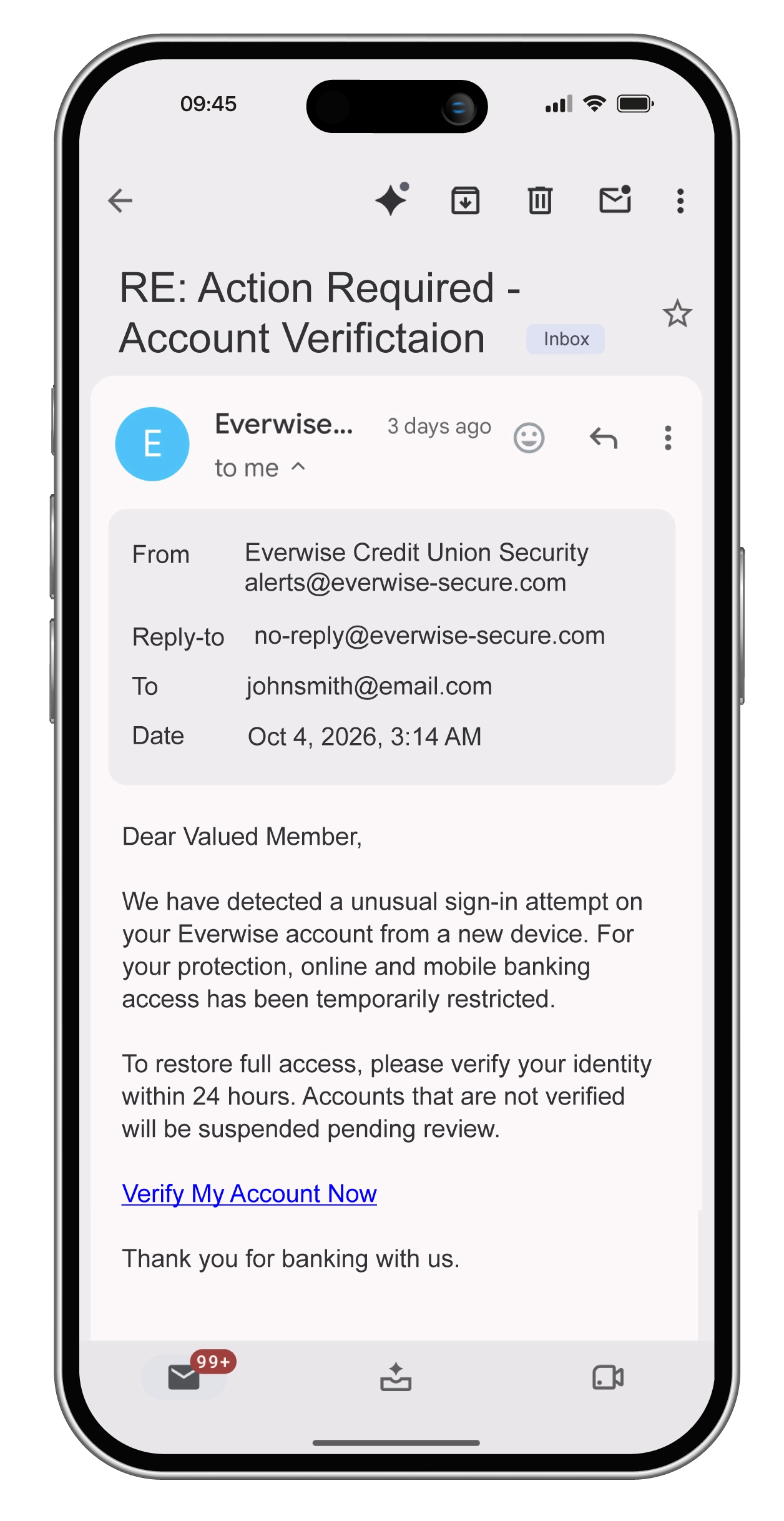
To start, would you click the link in the example below?
1. Check who it claims to be from.
Look beyond the display name. It's one of the easiest parts of an email to fake.
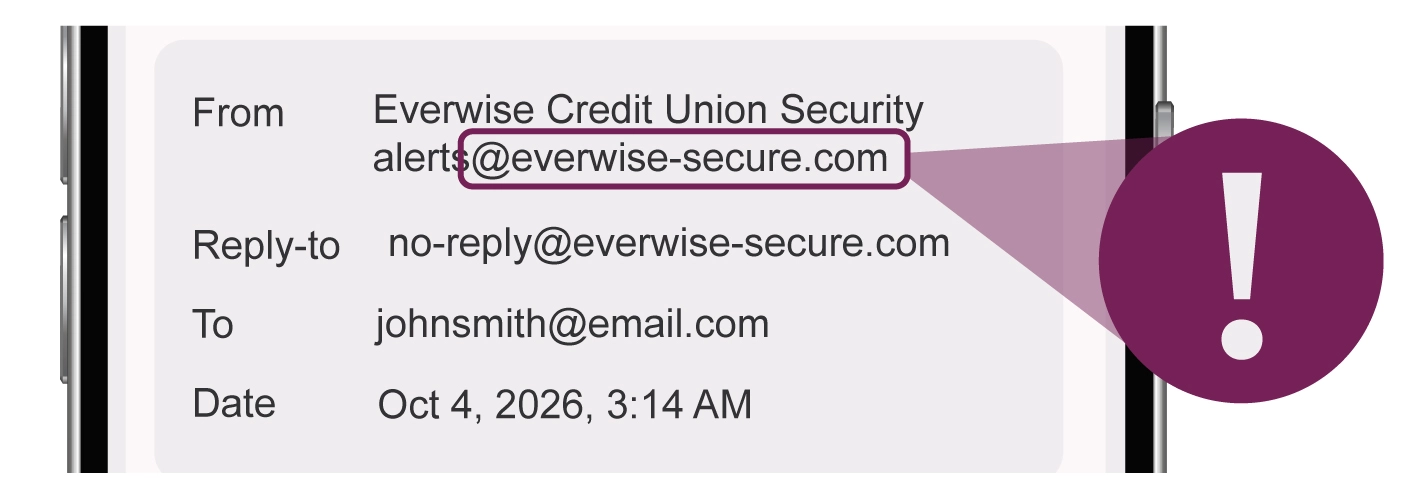
In the example: the sender name reads Everwise Credit Union Security. But expand the sender details and you'll see the actual email address: [email protected].
Everwise's official domain is everwisecu.com. No hyphen. No extra words.
The reply-to address also points to the fake domain, meaning a reply would go directly to the scammer.
Even if a message appears to come from someone you know, ask yourself: Is this something they would normally send me? An unusual request from a familiar name can still be a warning sign.
2. Check who else received it.
The example above is addressed to one person, but phishing emails are often sent to multiple recipients. This clue won't always appear, but it's worth a glance.
- Are you copied alongside people you don't recognize?
- Do the addresses seem randomly grouped together?
- Does the "To" line say something vague, such as "undisclosed recipients"?
These can be signs that the message was sent in bulk rather than specifically to you.
3. Check when it arrived.
In the example: the email arrived at 3:14 AM on a Sunday.
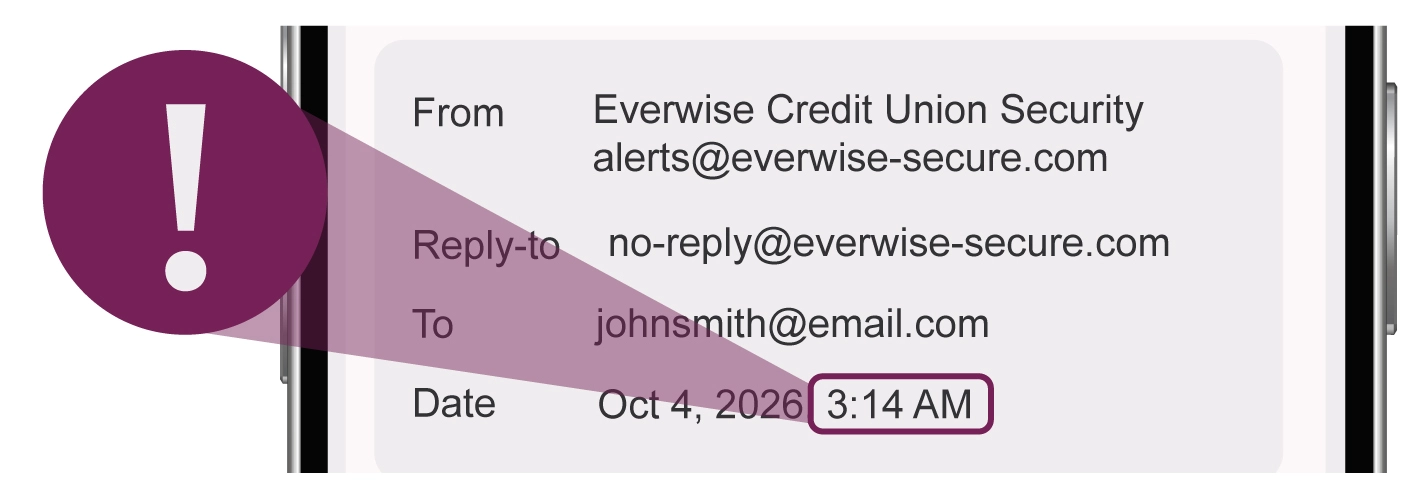
The timing alone doesn't prove an email is fraudulent, but it can be another reason to slow down. Scammers may send urgent messages at times when you're less likely to immediately verify the request with the organization.
The same caution applies to unexpected, urgent requests that arrive over weekends or holidays.
4. Check the subject line.
Look for unexpected RE: or FWD: labels, unusual wording, or spelling mistakes.
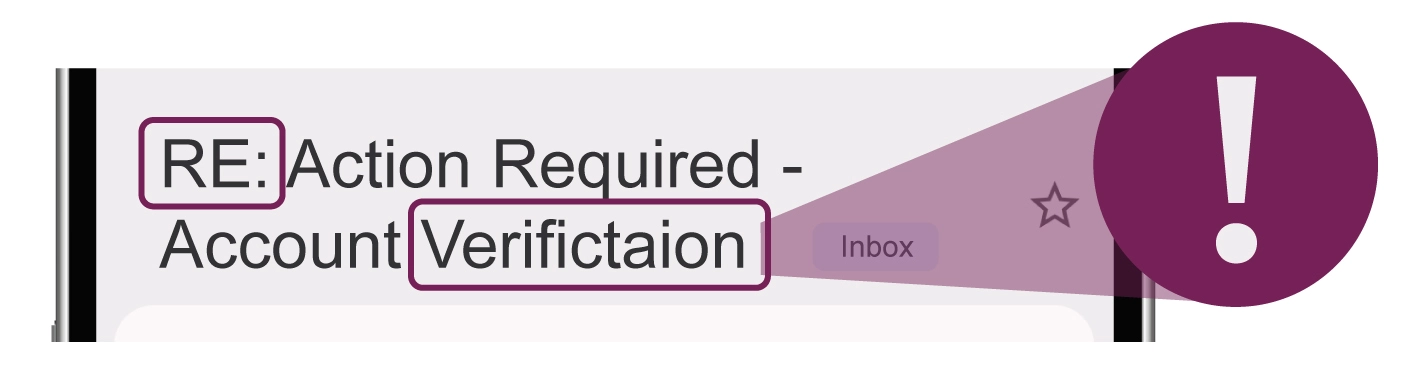
In the example: the subject reads: "RE: Action Required – Account Verifictaion."
There are two warning signs. First, it begins with RE: even though you never started a conversation. Fake reply chains can make a message look part of an existing conversation.
Second, verification is misspelled.
Spelling and grammar mistakes can be clues, but don't rely on them alone. Scam emails can also look polished and professional.
5. Check where the links actually go.
In the example: "Verify My Account Now" is the main call to action, but the button doesn't tell you where it will actually take you.
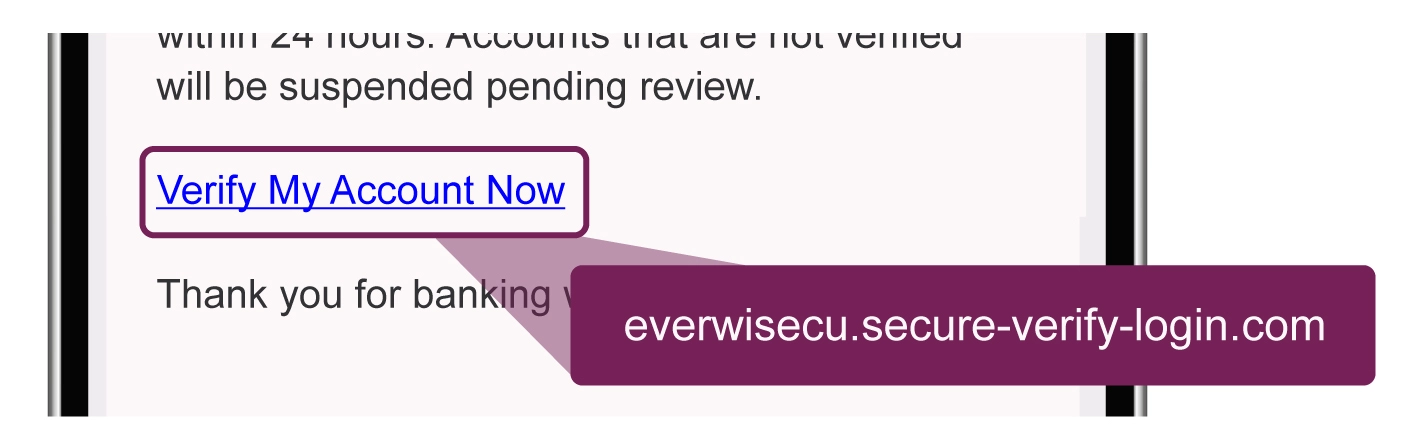
Before clicking, check the destination. On a phone, press and hold the link without opening it. On a desktop, hover over it. You should see a preview of the actual web address.
Pay close attention to the domain. In this example, the link leads to secure-verify-login.com, not everwisecu.com.
Scammers often use lookalike domains designed to pass a quick glance. If you're unsure, skip the link entirely and go directly to the organization's website or app instead.
6. Be cautious with attachments.
The example doesn't include an attachment, but plenty of phishing attempts do. If you weren't expecting a file, don't open it until you've verified the sender and the reason it was sent.
Ask yourself:
- Does the attachment make sense in the context of the message?
- Would this sender normally send me this type of file?
- Does the filename look unusual or use multiple extensions, such as .pdf.zip?
Don't assume a familiar file type automatically makes an attachment safe. If something feels off, verify with the sender through a trusted contact method first.
7. Look for pressure.
Urgency is one of the biggest warning signs of a scam. The goal is often to get you to act before you have time to think.
In the example: the message says your access has been restricted and that you have only 24 hours before your account is suspended.
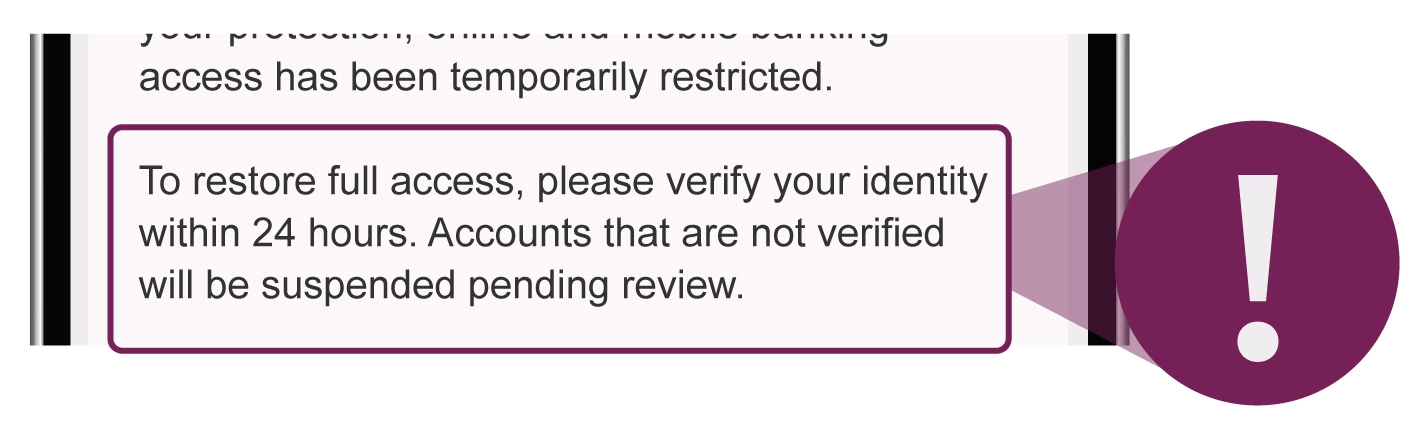
That pressure is intentional. Be especially cautious when a message threatens consequences, creates a sudden deadline, or repeatedly pushes you to click, call, pay, or provide information immediately.
And remember, a scam doesn't have to contain obvious grammar mistakes or awkward wording. Today's phishing messages can look surprisingly convincing.
If something doesn't add up, trust that instinct and verify before taking action.
When something feels off, verify on your own terms.
Don't reply to the suspicious message. Don't call a number provided in the email. And don't click a link asking you to confirm or verify information.
Instead, Pause, Reflect, and Protect. Go directly to the organization official website or app, or contact it using a phone number you know is legitimate.
A few extra seconds of checking can help protect your accounts and personal information.
Everwise will never email or text you a link asking you to verify your account, provide your password, confirm your card, or re-enter your login information. If you receive a message asking for any of this, don't interact with it. Contact us immediately so we can help.
The information provided is for educational purposes only and doesn’t constitute financial, tax, legal, or accounting advice. It is to be considered as general information, not recommendations. Please consult with an attorney, financial or tax professional for guidance.
Subject to membership eligibility requirements. Loans subject to credit approval. Borrower must be a resident of Indiana or Michigan, and for home loans property must be in Indiana or Michigan. All credit union programs, rates, terms, and conditions may change without notice.