




Getting login requests you didn’t make? Don’t approve them.
Multi-factor authentication, or MFA, is another way to add an extra layer of protection to your online accounts. You’ve likely used it many times before. You may recognize entering your password, receiving a notification on your phone, approving the login, and signing in.
But what happens when that approval request shows up and you were not trying to log in?
Don’t approve it.
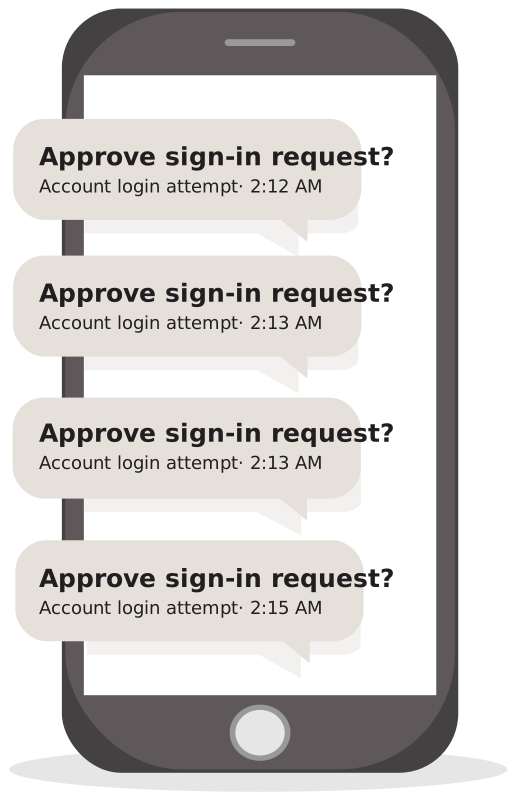
Scammers are using a tactic called MFA fatigue, where they send repeated login requests hoping you will eventually approve one to make the notifications stop.
If you didn't try to log in, do not approve it.
A login request you didn't start is a warning sign, not a glitch.
Why am I getting so many requests?
If you suddenly receive multiple approval requests that you did not initiate, someone may be attempting to access your account. They probably already have your password.
They send so many in the hopes that you are busy, distracted, or annoyed from seeing the many notifications. After enough notifications, it can be so tempting to approve one without even thinking about it.
That's exactly what scammers are counting on. A scammer may even follow up with a call or message pretending to be from an institution you know. They may try to tell you that there's an issue with your account and that approving the request or clicking a link will fix it.
If you didn't initiate the login, simply do not approve it, no matter who is asking.
What should you do instead?
An MFA approval you didn’t request is worth paying attention to, especially if it’s more than one notification.
- Deny any login request you didn’t initiate. Don’t approve it hoping the notifications will stop.
- Don't click on any links in unexpected messages. Scammers may send a link that looks like it's from your financial institution, but it could lead to a fake site built to steal your login information.
- Be cautious of unexpected calls or messages. Don’t approve a login that someone contacts you directly about.
- Change your password, even if it was only one request. A login request you didn't start usually means someone already has your password. Create a new, strong password that you aren’t currently using elsewhere.
- Review your account for unfamiliar logins, transactions, or changes you didn’t do yourself.
- If you’re concerned with your account, reach out to the institution through its official website, app, or phone number so you know it’s legitimate.
One tap can make a big difference
MFA exists to make it more difficult for scammers to access your account. Keep in mind that this extra layer of security only works when you stop and think before fully approving an approval request.
Remember, if you didn’t attempt to log in, don’t approve the login, and don't click on links in messages you weren't expecting.
If these types of requests keep coming, don’t ignore them. Change your password, review your account, and make sure everything looks the way it should. If you suspect fraud attempts on your Everwise accounts, call Member Services at (800) 552-4745.
The information provided is for educational purposes only and doesn’t constitute financial, tax, legal, or accounting advice. It is to be considered as general information, not recommendations. Please consult with an attorney, financial or tax professional for guidance.
Subject to membership eligibility requirements. Loans subject to credit approval. Borrower must be a resident of Indiana or Michigan, and for home loans property must be in Indiana or Michigan. All credit union programs, rates, terms, and conditions may change without notice.